Free tracked shipping over US$199 in North America · solos AirGo™ V2 with photochromic lens now shipping

0%

Screens now follow us from morning messages to late-night streaming. DataReportal’s Digital 2024: Global Overview Report estimated that internet users spent an average of 6 hours and 40 minutes online each day. That figure describes internet use, not eye strain, but it shows how often screens enter daily routines.

Blue light blocking smartglasses may appeal to people who work beneath bright office lights or read from a laptop after sunset. Yet the blue-light label alone cannot tell you whether a pair will feel comfortable or suit your needs. The American Academy of Ophthalmology says current evidence does not show that blue light from digital screens damages the eyes, and it does not recommend special eyewear for screen use. A useful caution. It is easy to mistake a marketing claim for a proven health benefit.

When choosing glasses, look beyond the tint. Check lens clarity, fit, frame weight, prescription options, and whether connected features justify their extra cost. For smart models, consider battery life and how clearly the seller explains data handling. Small details matter: a frame that presses behind your ears can become distracting during a long video call. No single pair works for everyone. This guide compares practical features and evidence so you can choose with realistic expectations, rather than assuming a blue filter solves every screen-related discomfort.
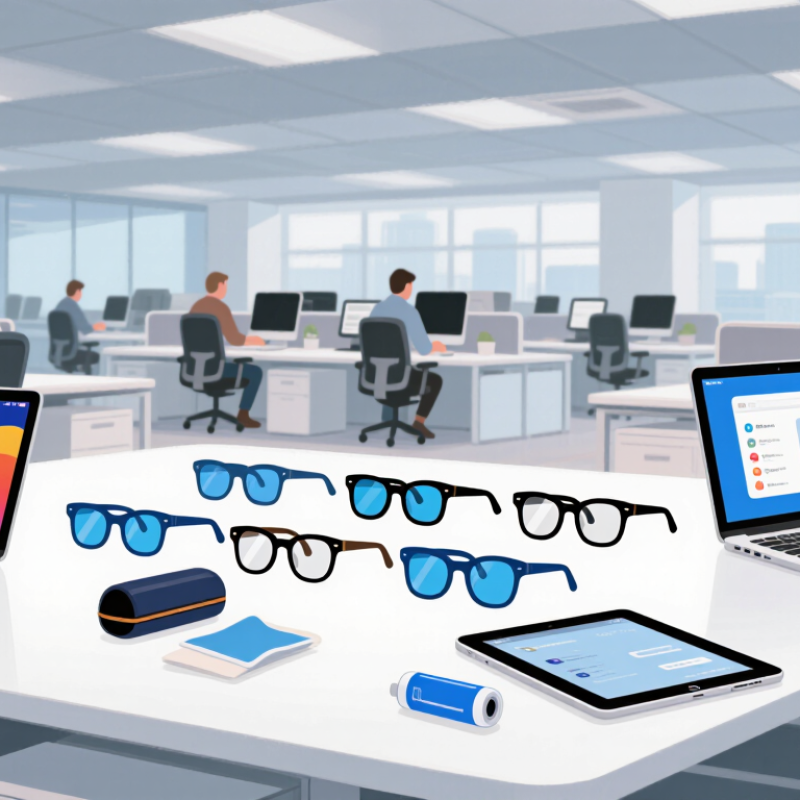
How to Choose Blue Light Blocking Smart Glasses

Understand What Blue Light Blocking Smart Glasses Do

Blue light blocking smart glasses combine eyewear with electronic features and lenses designed to reduce some blue wavelengths reaching the eyes. Filtering may come from a coating, a tinted lens, or an adjustable electronic layer. Not every pair works the same way. Look for spectral-transmission data showing how much light passes through at different wavelengths. A darker lens does not automatically filter more. Smart functions may include light sensors, adjustable tint, or screen-time reminders, but these features do not prove stronger filtering. It is easy to overestimate what the word “smart” means.

During a late work session, adjustable tint might make a bright display feel less harsh in a dim room. Comfort is personal. Blue-light filtering has not been shown to reliably prevent digital eye strain, which can relate to prolonged near focus, reduced blinking, glare, or dry eyes. Evidence that these glasses improve sleep is mixed; evening brightness and screen timing matter too. Take brief breaks to look into the distance, blink fully, and reduce screen brightness when practical. If discomfort or blurred vision persists, consult an eye-care professional rather than relying on a lens feature. Check fit, weight, battery needs, and clear filter specifications before choosing.

How to Choose Blue Light Blocking Smart Glasses

This chart shows approximate visible-light wavelength bands. Blue-light filtering varies by lens; check a lens’s specifications to see which wavelengths it filters. The chart does not represent a specific product’s performance.

Identify Your Viewing Habits and Essential Needs

Before choosing blue-light-blocking smart glasses, map a typical day. Do you read spreadsheets on two monitors, answer messages on a phone, or watch lessons on a tablet? DataReportal’s Digital 2024 Global Overview estimates that internet users aged 16–64 spend an average of 6 hours and 40 minutes online daily. Your own pattern matters more than that global average. Note your longest screen sessions, usual lighting, and whether you need prescription lenses. Small details count.

Then match features to those habits. A lightweight frame may feel better during long video calls; clear audio controls may matter more during commutes. Check battery life against your longest workday, and confirm the lenses suit your prescription and indoor use. Be cautious about expecting eye-strain relief from filtering alone. A 2023 Cochrane review examined 17 trials involving 619 adults and found that blue-light-filtering lenses may not reduce short-term computer-related eye strain compared with non-filtering lenses. Evidence about sleep effects remained uncertain. That matters. Screen breaks, glare reduction, and comfortable text size may deserve equal attention. I’d still compare fit in person if possible; specifications rarely show how a frame feels after three hours. Do not buy features you will not use.

Compare Lens Types, Tint, and Blue Light Filtering

When comparing blue light filtering, check the wavelengths tested and the percentage of light each lens blocks. A single “blue-light percentage” can be misleading if the testing range is not stated. Ask for an independent transmission report, not just a label. Clear lenses usually preserve screen colors better, while amber or yellow tints can make a bright display look warmer. That difference matters when editing photos or reading color-coded charts. Tint is not proof of stronger eye protection.

Evidence is more limited than marketing often suggests. A 2023 Cochrane review assessed 17 randomized trials involving 619 adults. It found that blue-light filtering lenses may make little or no difference to short-term visual fatigue; evidence about sleep effects was uncertain. So treat filtering as one feature, not a cure for tired eyes. Fit and daily comfort count. Try the glasses under your usual desk lighting, then check whether small text stays crisp and colors remain usable. I still find tint hard to judge from product photos. A return period can help. Compare glare control, lens clarity, and smart features separately; they solve different problems.

Evaluate Smart Features, Device Compatibility, and Battery Life

Treat smart features as everyday tools, not a checklist of impressive extras. Check whether calls, calendar alerts, or touch controls are easy to use without reaching for your phone. Try the controls while walking or carrying a bag; tiny touch surfaces can be frustrating. Small details matter. Review what information the companion app requests and whether optional permissions can remain off. For the lenses, look for clear descriptions of their blue-light filtering rather than assuming every tint works the same way.

Confirm the glasses support your phone’s operating system and the functions you actually plan to use. Check how they pair, whether notifications require a separate app, and if audio or voice controls work reliably with your usual settings. If you switch between a phone and tablet, see whether reconnecting is simple or requires manual pairing each time. Test it at home. A feature that looks convenient in a product description may feel distracting during a meeting or commute.

Battery life depends on use, so compare estimates under similar conditions. Frequent audio playback, calls, and notifications can drain a small battery faster than occasional alerts. Look for charging time, standby performance, and whether the case provides extra charges. I might be overvaluing battery life, but a low-battery warning during a long day can make even useful features feel like chores. Try to judge comfort and controls during a normal routine, not just a quick fitting.

Check Fit, Privacy Controls, Durability, and Price

Blue-light blocking smart glasses should sit level without pinching your temples or slipping when you look down. Try them for several minutes, not just a quick mirror check. The bridge should feel steady, and the arms should not press behind your ears. A 2023 Cochrane review examined 17 trials involving 619 people. It found that blue-light filtering lenses may not reduce short-term eye strain. So treat filtering claims cautiously; comfort and useful smart features deserve equal attention.

Check privacy controls before paying. Can you mute the microphone with a physical switch? Is camera activity clearly signaled, and can you review app permissions? Read the storage policy for recordings and voice data. Small details matter. For durability, inspect hinge movement, lens coatings, and the frame’s feel after repeated opening. One awkward truth: a very light frame can feel less sturdy, though weight alone cannot predict how long it will last.

Compare the full cost, including prescription lenses, replacement parts, and any required service fees. Set a budget around features you will actually use, such as call audio or notifications. A higher price does not guarantee a better fit or stronger privacy. Check the return window, then wear the glasses indoors and outdoors before deciding. Screens, lighting, and personal comfort vary; even a careful choice may need adjustment.

FAQS

How can I compare blue-light filtering claims?

Check the tested wavelength range and ask for an independent transmission report. A single blocking percentage can hide important details.

Do tinted lenses provide stronger eye protection?

Not necessarily. Amber or yellow lenses make screens look warmer, while clear lenses usually preserve colors better. Tint alone proves little.

Can blue-light filtering lenses reduce screen fatigue?

Evidence is limited. A 2023 review of 17 trials and 619 adults found little or no short-term fatigue benefit. I still find the claims confusing.

What should I check before buying smart glasses?

Confirm your phone’s operating system is supported. Test pairing, notifications, and touch controls during an ordinary task. Small controls can frustrate.

How can I judge battery life?

Compare estimates under similar use. Calls and frequent audio may drain the battery faster than occasional alerts. Check charging time, standby performance, and case charges.

What makes smart glasses comfortable?

They should sit level without pinching your temples or slipping when you look down. Wear them for several minutes. A quick mirror check is not enough.

Which privacy controls should I look for?

Check for a physical microphone mute switch, clear camera activity signals, and adjustable app permissions. Read how recordings and voice data are stored.

How should I compare durability and total cost?

Inspect the hinges, lens coatings, and frame after repeated opening. Include prescription lenses, replacement parts, and service fees. Higher prices do not guarantee a better fit.

Conclusion

Blue light blocking smartglasses combine eyewear with features designed to reduce some blue light reaching your eyes and support everyday digital use. Before choosing a pair, consider how many hours you spend looking at screens, when you use them, and whether you need them for work, entertainment, or both. Lens options vary in tint and filtering level, so compare how each choice may affect color perception and comfort, especially if you work with images or use glasses in different lighting conditions.

Also assess practical details beyond the lenses. Check whether the smart features work with your devices and whether battery life suits your routine. A comfortable fit, suitable sizing, durable materials, and clear privacy controls can make a difference in daily use. Finally, compare prices against the features you will actually use, rather than paying extra for functions that do not meet your needs.

Charlotte

Charlotte

Charlotte is a professional marketing specialist with a deep understanding of the company’s products, customers, and industry landscape. Through years of experience in product communication, market research, content strategy, and customer engagement, she has developed the ability to transform......