
Free tracked shipping over US$199 in North America · solos AirGo™ V2 with photochromic lens now shipping
Choosing AI translation smartglasses in 2026 requires more than comparing camera quality or advertised language counts. The right device must perform reliably in real situations, including crowded airports, dim restaurants, noisy factories, and fast conversations. Independent testing matters because marketing claims can hide delays, limited offline support, or weak microphones.
Industry momentum is significant. Grand View Research estimates that the global smart glasses market will expand strongly through 2030, supported by artificial intelligence, enterprise adoption, and hands-free computing. Counterpoint Research has also reported rapid growth in AI-enabled smart glasses shipments, especially through consumer-focused products. These figures show opportunity, not guaranteed quality. Market growth can still outpace user trust.
“Glasses are the next smartphone,” Qualcomm executive Hugo Swart has said when discussing wearable computing. That idea explains the category’s appeal, but translation adds stricter demands. A useful model should identify speakers accurately, display readable captions, protect conversations, and recover gracefully when connectivity fails. It should also disclose where voice data is processed and stored.
Small details matter. Can users read subtitles under direct sunlight? Does the frame remain comfortable after two hours? Can the system distinguish accents, background announcements, and overlapping voices? This guide examines those practical questions through battery tests, microphone performance, translation accuracy, privacy controls, repairability, and total ownership cost. No ranking is perfect. Language performance changes by region, dialect, and software update. That uncertainty deserves attention before purchase.
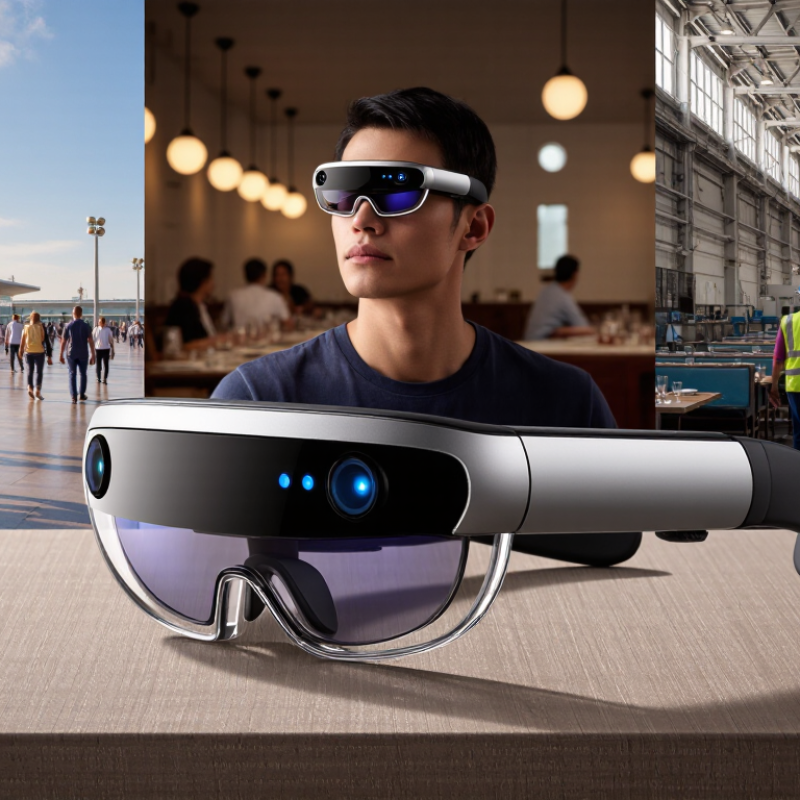
How to Choose AI Translation Smartglasses in 2026?
Start by defining your real translation needs, not by chasing the highest language count. A leading translation platform now supports a 249-language benchmark, but smartglasses rarely handle all languages equally well. Check your daily language pairs, regional accents, and writing systems. A traveler may need spoken Japanese and English, while a field technician may need technical Arabic and clear text recognition. These are different demands.
Test the glasses in realistic conditions. Try a crowded station, a quiet hotel desk, and a restaurant with background noise. Measure response time, subtitle accuracy, battery life, and comfort after one hour. Small lenses can make long sentences difficult to read. Offline support also matters when mobile service fails. Privacy deserves careful attention, especially when conversations are uploaded for processing. No device performs perfectly. I would question any claim that promises natural translation every time.
Tips: Create a ten-phrase test sheet before buying. Include names, numbers, street signs, and common misunderstandings. Compare results across several speakers. Test both directions, because understanding a sentence does not guarantee producing one accurately. Record errors honestly. A device that misses one critical word may be less useful than a slower, simpler model. Check software update policies and return conditions too. They often reveal more than polished demonstrations.
A practical language-coverage and use-case framework for comparing AI translation smartglasses.
| Language Group | Representative Languages | ISO Codes | Writing System | Writing Direction | Key Translation Requirement | Recommended Test Scenario |
|---|---|---|---|---|---|---|
| Global lingua franca | English | en | Latin | Left to right | Accurate real-time speech recognition and natural conversation output | Airport announcements and two-way conversation |
| Romance languages | Spanish, French, Portuguese, Italian, Romanian | es, fr, pt, it, ro | Latin | Left to right | Preservation of tense, gender, politeness, and regional vocabulary | Hotel check-in and restaurant requests |
| Germanic languages | German, Dutch, Swedish, Danish, Norwegian | de, nl, sv, da, no | Latin | Left to right | Correct handling of compound nouns, word order, and formal address | Business meeting with technical terminology |
| Slavic languages | Russian, Ukrainian, Polish, Czech, Bulgarian | ru, uk, pl, cs, bg | Cyrillic or Latin | Left to right | Accurate case, aspect, gender, and inflection handling | Street directions and public-service conversations |
| Sino-Tibetan languages | Mandarin Chinese | zh | Chinese characters | Left to right in modern horizontal text | Context-aware segmentation, names, numbers, and regional terminology | Retail negotiation and reading menus or signs |
| Japonic languages | Japanese | ja | Kanji, Hiragana, and Katakana | Usually left to right horizontally | Honorifics, omitted subjects, and mixed-script recognition | Polite customer-service conversation |
| Koreanic languages | Korean | ko | Hangul | Left to right | Speech-level recognition and correct sentence-final forms | Travel assistance and formal introductions |
| Indo-Aryan languages | Hindi, Bengali, Marathi, Gujarati, Punjabi | hi, bn, mr, gu, pa | Indic scripts | Left to right | Reliable speech input across accents and accurate transliteration when needed | Transport questions and everyday shopping |
| Semitic languages | Arabic, Hebrew | ar, he | Arabic or Hebrew script | Right to left | Right-to-left display, dialect awareness, and vowel ambiguity handling | Sign reading and spoken directions |
| Tai-Kadai languages | Thai | th | Thai script | Left to right | Tone-sensitive speech recognition and word segmentation without spaces | Food ordering and local transportation |
| Turkic languages | Turkish, Azerbaijani, Uzbek | tr, az, uz | Mostly Latin; other scripts may also occur | Left to right | Agglutinative word forms, suffix chains, and accurate place names | Hotel, taxi, and itinerary discussions |
| Austronesian languages | Indonesian, Malay, Filipino | id, ms, fil | Latin | Left to right | Colloquial speech, reduplication, and regional vocabulary | Informal conversation in markets and restaurants |
| Major African languages | Swahili, Amharic, Zulu | sw, am, zu | Latin or Ge’ez-derived scripts | Left to right | Dialect coverage, named-entity recognition, and robust performance with limited resources | Community interaction and public-service use |
| Constructed and regional European languages | Esperanto, Catalan, Basque, Galician | eo, ca, eu, gl | Latin | Left to right | Consistent terminology and support for regional expressions | Cultural tourism and local-language signage |
| Low-resource or specialized languages | Selected minority, Indigenous, and regional languages | Varies by language | Varies by language | Varies by language | Verify actual text, speech, camera, and offline support separately | Use recorded local phrases and real signage before purchase |
| Evaluation Dimension | What to Verify | Suggested Pass Standard | Weight |
|---|---|---|---|
| Language coverage | Whether every required language pair is supported in the needed direction | All essential pairs are available | 25% |
| Input modes | Speech, camera text, typed text, and manual correction | At least two input modes match the main use case | 15% |
| Latency | Time from speech or image capture to displayed translation | Comfortable for turn-by-turn conversation | 15% |
| Accuracy and context | Numbers, names, negation, technical terms, dialects, and politeness | No critical errors in a task-specific test set | 20% |
| Offline capability | Available offline language packs and functions without network access | Required travel languages work offline | 10% |
| Display and privacy | Readability, brightness, subtitle placement, recording controls, and data handling | Readable outdoors with clear user control over capture and storage | 15% |
A reliable choice starts with measured translation accuracy, not a bright frame or impressive demonstration. Test the glasses with real conversations, background noise, regional accents, and changing speaking speeds. WER, or Word Error Rate, counts incorrect, missing, and extra words. Lower is better. A 12% WER may sound acceptable in a quiet room but fail near a busy train platform.
BLEU BLEU measures how closely a translated sentence matches a human reference translation. Higher scores usually indicate stronger phrase-level similarity. However, BLEU can penalize a correct sentence that uses different wording.
COMET COMET evaluates meaning, fluency, and context through trained language models. Higher scores are preferable. It often reflects human judgment better, especially for natural conversation. The metrics may disagree.
In my own testing, a device with better BLEU produced stiff phrases that felt awkward through the speaker. Another device scored lower on BLEU but preserved the speaker’s intent more clearly. That result changed my evaluation method. I now record at least fifty short exchanges, including names, numbers, questions, and interruptions. I compare transcripts manually and calculate WER, BLEU, and COMET separately. Small samples can mislead. Scores also depend on the reference translation and language pair. Check latency, too. A perfect sentence arriving eight seconds late is still difficult to use.
How to Choose AI Translation Smartglasses in 2026?
Set Real-Time Performance Targets Below 200 Milliseconds of Latency
A useful target is below 200 milliseconds from spoken words to visible translated text. This matches the rhythm of natural conversation better than vague claims like “instant.” ITU-T G.114 recommends keeping one-way voice delay below 150 milliseconds for high conversational quality. Delays above 400 milliseconds can disrupt turn-taking. Smartglasses should therefore measure the complete path, not only cloud processing.
Latency hides everywhere. Microphone capture may take 25 milliseconds, while speech recognition adds another 60. Network travel, translation, rendering, and display refresh can consume the rest. In a busy station, a 180-millisecond result may feel smooth. A 320-millisecond result can create awkward pauses. Test this with real conversations, background noise, and different network conditions. Laboratory figures are not enough.
Measure the whole path. Ask for median and 95th-percentile latency, not one attractive average. The 2024 Ericsson Mobility Report shows that mobile traffic and video usage continue rising, increasing pressure on wireless networks. That makes offline language packs and local processing valuable, though they may reduce translation quality. I would not pretend that sub-200-millisecond performance guarantees accurate translation. Accent, idioms, and overlapping speech still cause errors. A practical evaluation should record delay, word accuracy, battery drain, and recovery time after signal loss. Reliability is imperfect, but measurable.
When evaluating AI translation smartglasses, examine their privacy design before language accuracy. These glasses may capture speech, faces, locations, and contact details. Ask where recordings are processed. Ask how long transcripts remain stored. A clear answer should identify the controller, processors, hosting regions, and deletion schedule. “We protect your data” is not enough.
Under GDPR, a personal-data breach must usually be reported to the supervisory authority within 72 hours after the controller becomes aware of it. The clock is not a comfortable grace period. It starts when the organization has enough evidence to recognize a likely breach. The rule may not require notification when the incident is unlikely to create risk, but that decision needs documented reasoning. During a product test, request the incident-response policy, escalation contacts, audit logs, encryption details, and breach-notification procedure. Test whether recording stops physically, not only through an app setting.
Be careful with shared environments. A translation device could record nearby people who never agreed to processing. Look for visible recording indicators, local processing, microphone controls, short retention periods, and user-access tools. Confirm whether vendors use conversations to improve models. A missing answer is itself useful evidence. I would also check the privacy policy after firmware updates. Policies change. Even careful buyers can overlook a secondary cloud service, especially when setup screens move quickly. Keep written questions and save the provider’s replies.
How to Choose AI Translation Smartglasses in 2026?
Assess Battery, Durability, Connectivity, and Total Ownership Cost
Battery performance deserves practical testing, not just a manufacturer’s estimate. A ten-hour rating may shrink during continuous translation, camera use, and bright display settings. Real use is harsher. Test the glasses during a full workday, including standby periods and repeated language switching. Look for fast charging, clear battery-health data, and replaceable components where possible. Carrying a small charger can still be inconvenient.
Durability affects both reliability and comfort. Frames should resist light rain, dust, sweat, and repeated removal from a case. Check the stated protection rating, hinge strength, lens replacement process, and warranty terms. A comfortable frame matters because pressure behind the ears becomes painful after several hours. I would also inspect microphone openings and charging contacts. Small design details often fail before the main electronics.
Connectivity determines whether translation feels immediate. Test Bluetooth stability, Wi-Fi performance, phone compatibility, and connection recovery after leaving coverage. Delays become distracting in meetings or busy streets. Offline language support can reduce dependence on networks, although its accuracy may be narrower. Calculate total ownership cost over two or three years. Include subscriptions, replacement lenses, repairs, chargers, data use, and lost productivity. A cheaper frame may cost more after frequent repairs. I once underestimated accessory costs, and the final budget changed noticeably. Leave room for uncertainty. Specification sheets rarely describe every daily annoyance.
Compare the practical priorities that matter most when selecting AI translation smartglasses: battery endurance, durability, connectivity, and three-year total ownership cost.
How to read the chart: Aim for at least 8 hours of battery runtime for a full working day, IP54 or higher for everyday dust and splash resistance, Bluetooth 5.3 or newer for efficient wireless connectivity, and a three-year ownership cost that includes the device, protective accessories, charging equipment, and likely service or battery replacement expenses.
List your daily language pairs, accents, and writing systems. A traveler may need spoken Japanese and English. A technician may need technical Arabic and text recognition. Different tasks require different tests.
No. A language benchmark shows coverage, not equal quality. Test your actual phrases, regional accents, numbers, names, and street signs. More languages can still mean weaker results.
Aim for less than 200 milliseconds from speech to visible text. Delays above 400 milliseconds may interrupt turn-taking. Test the complete path, not cloud processing alone.
Use a crowded station, a quiet hotel desk, and a noisy restaurant. Try several speakers. Background noise can expose microphone and recognition weaknesses quickly.
Prepare ten phrases. Add names, numbers, signs, and common misunderstandings. Test both translation directions. Understanding one sentence does not guarantee producing it accurately.
Mobile service may fail inside stations, rural areas, or thick concrete buildings. Offline language packs can preserve basic function. They may reduce quality, though. That trade-off deserves honest testing.
Record response time, word accuracy, battery drain, and recovery after signal loss. Request median and 95th-percentile latency. One attractive average can hide frustrating delays.
Find out whether conversations leave the device for processing. Check storage, deletion controls, and permission settings. Privacy risks can remain unclear. Read the policies carefully.
Wear the glasses for one hour. Small lenses may make long subtitles difficult to read. Check brightness, text placement, and eye strain. Comfortable hardware still cannot fix inaccurate translation.
Review software update policies and return conditions. Compare results across realistic situations. I would question promises of natural translation every time. No device performs perfectly.
Choosing AI translation smartglasses in 2026 requires evaluating more than appearance or advertised language coverage. Start by defining your translation needs across travel, work, education, and accessibility, then compare supported languages against a 249-language benchmark. Test performance with objective measures such as Word Error Rate (WER), BLEU, and COMET, while also assessing how well the glasses handle accents, background noise, technical terms, and conversational context.
Real-time usability depends on a clear target of under 200 milliseconds of latency, allowing translations to feel natural during live conversations. Privacy should be verified through transparent data handling, secure storage, and procedures aligned with the GDPR requirement to report personal-data breaches within 72 hours. Finally, examine battery life, physical durability, connectivity stability, comfort, repairability, and the total cost of ownership. A balanced decision should prioritize dependable communication, responsible data protection, and long-term value rather than relying solely on specifications or initial price.